Follow Kaiya's progress
Follow Kaiya's work in the progress summary below the reply. Read the current task, then select the summary for details.
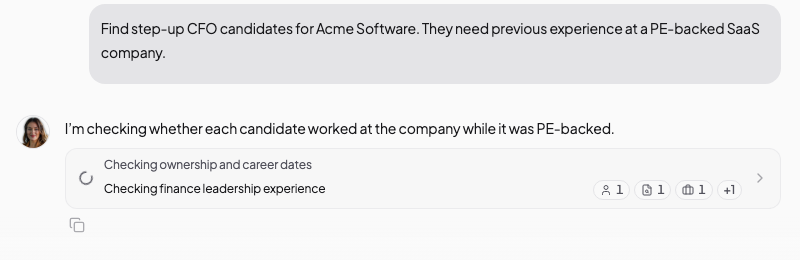
Open the activity history
Select the progress summary to see Kaiya's actions and source links. The small badges summarise tool use.
- Desktop
- Mobile
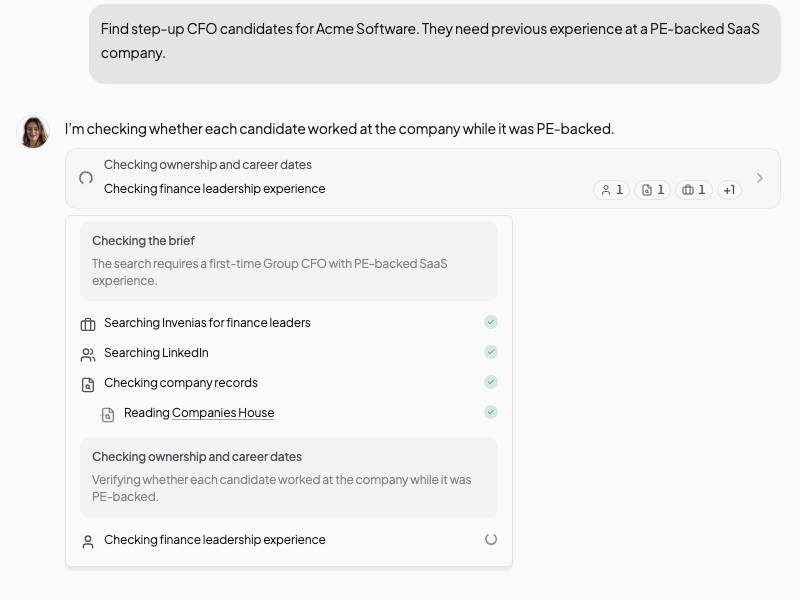
On desktop, the details open in a panel. Press Esc, or select outside the details, to close them.
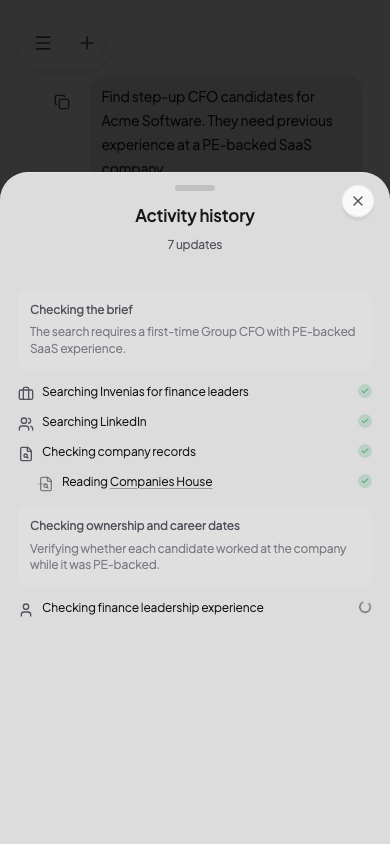
A check mark shows that an action finished. A moving indicator shows the current action. Check the evidence in the answer before you use it.
Activity you may see
During a candidate search, Kaiya may:
- Research the role and target market.
- Read online sources.
- Search leading professional networking sites or Invenias.
- Check evidence against the brief.
- Prepare a table or document.
During company research, Kaiya may:
- Search for recent company information.
- Read the company website and filings.
- Check ownership and leadership sources.
- Compare conflicting facts.
- Prepare findings with sources.
The actions depend on your request and the sources Kaiya can reach.
Check the work
Check coverage
Look for the types of evidence that the task needs. A PE-backed CFO search may need company ownership history, candidate employment dates and career evidence. Tell Kaiya about a missed source or requirement in your next message.
Check source quality
Open the sources behind important claims. A search result or source title does not prove the claim on its own. Ask Kaiya to read and compare the strongest accessible sources.
Notice failed actions
An action can fail because a source blocks access, a page has moved or a connected service returns no result. Ask Kaiya to try another source and state which conclusion still lacks support. If you have the missing source, attach it.
Tell Kaiya what to change
After Kaiya finishes, review the answer, assumptions and evidence. Tell Kaiya what to correct or expand:
The ownership evidence is strong, but the candidate analysis does not show
whether each person worked there during the PE ownership period. Check the
dates and update the comparison.
Deep Thinking
Kaiya can handle multi-step work with Deep Thinking off. Select the brain icon to turn it on for difficult analysis or checks across many sources. Deep Thinking uses the same sources and access. Attach a missing source or ask Kaiya to use the right connected system.
See Use Deep Thinking.